

“My script tag works on the live site but does nothing in the theme editor.” I have heard this exact sentence from 7 Shopify devs in the last 3 months. The block looks fine. The console is silent. The merchant assumes the dev shipped broken code.
TL;DR: Yes, Shopify Custom Liquid sections run script tags on the storefront. They look broken in the theme editor because Shopify injects the section after DOMContentLoaded has already fired, so your ready-listener never runs. Use a readyState check, scope to section.id, and reattach on shopify:section:load.
Why this matters for your store
- A misfired tracking pixel inside Custom Liquid can underreport ATC events by 30 to 60% on the editor preview your client is staring at.
- A duplicate listener stacks on every editor save, which means by edit 5 a single click fires 5 GA4 events and trashes your conversion rate.
- A
window.fetchpatch inside one section file took an Everly storefront down for 40 minutes in March 2026, with cart updates failing silently.
How Shopify renders a Custom Liquid section
The Custom Liquid section exposes one schema setting of type: "liquid", and Shopify pipes its contents into the page output unsanitized.
sections/custom-liquid.liquid
{% schema %}
{
  "name": "Custom Liquid",
  "settings": [
    { "type": "liquid", "id": "custom_liquid", "label": "Liquid" }
  ],
  "presets": [{ "name": "Custom Liquid" }]
}
{% endschema %}
There is no allowlist filter on the rendered output. That is the whole reason this section type exists. It is the escape hatch for theme code that does not warrant a custom snippet. Pixels, A/B test snippets, third-party widgets, and small CTAs all ship through it.
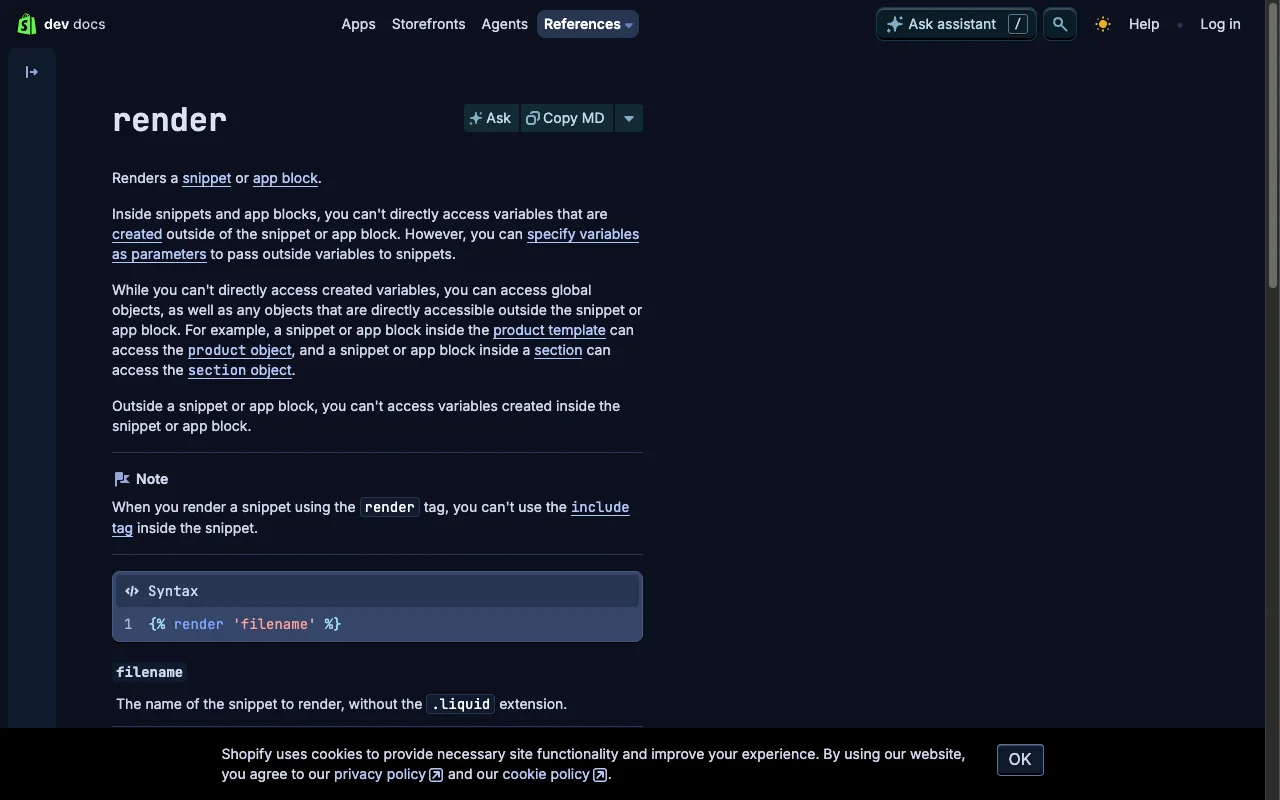
The execution model splits in two. On the live storefront the script runs once during initial parse. Inside the theme editor it runs again every time the merchant edits or moves the section, because Shopify swaps the section markup through the Section Rendering API. That second context is where most scripts fail.
Three failure modes show up over and over. A DOMContentLoaded listener that fires before the section exists. A duplicate listener stacked on each editor save. A Liquid parser that chokes on {{ or {% inside JavaScript template literals and quietly drops the code. Wrap any script with ${...} template syntax inside {% raw %} to stop that last one.
The 4 Custom Liquid script patterns that survive theme edits
Pattern 1: Inline IIFE for DOM-free work
Use this when you fire a tracking call, set a cookie, or push to dataLayer without touching elements below the section.
sections/custom-liquid.liquid
<script>
  (function() {
    window.dataLayer = window.dataLayer || [];
    window.dataLayer.push({
      event: 'custom_liquid_loaded',
      section: 'hero-banner'
    });
  })();
</script>
The script runs the moment the parser hits it. No event listener, no race condition, nothing to reattach.
Pattern 2: readyState branch for section-scoped DOM
Use this when you need elements inside the section. The readyState check runs init immediately if the document is parsed and waits if it is not.
sections/custom-liquid.liquid
<div class="kf-cta" data-cta-id="hero-1"><a href="/collections/all">Shop</a></div>
<script>
  (function() {
    function init() {
      var cta = document.querySelector('[data-cta-id="hero-1"]');
      if (!cta) return;
      cta.addEventListener('click', function() { /* track */ });
    }
    if (document.readyState === 'loading') {
      document.addEventListener('DOMContentLoaded', init);
    } else { init(); }
  })();
</script>
This is the single fix that flips most “works on storefront, dead in editor” reports.
Pattern 3: External asset with defer
Use this for libraries over a couple of KB or anything you want versioned through git instead of pasted into the editor. The defer attribute waits until the document parses, sidestepping the ordering issue entirely.
sections/custom-liquid.liquid
<script src="{{ 'custom-cta.js' | asset_url }}" defer></script>
The asset_url filter resolves to the theme’s CDN path. For deeper coverage of Liquid filters worth knowing, see the Shopify Liquid development guide.
Pattern 4: section.id binding plus shopify:section:load
Use this when you need the script to reattach every time the merchant saves an edit. Combining {{ section.id }} with the shopify:section:load event scopes the handler to one instance and reruns init only for that instance.
sections/custom-liquid.liquid
<div id="cta-{{ section.id }}"><button>Buy</button></div>
<script>
  (function() {
    var id = '{{ section.id }}';
    function init() {
      var root = document.getElementById('cta-' + id);
      if (!root) return;
      root.querySelector('button').addEventListener('click', function() {});
    }
    init();
    document.addEventListener('shopify:section:load', function(e) {
      if (e.detail.sectionId === id) init();
    });
  })();
</script>
Most CRO advice misses the listener-leak trap here. Without a teardown, every editor save stacks another click handler on the same button. After 5 edits, the merchant’s click fires 5 GA4 events, and your client’s reported ATC rate looks 5x what it actually is. The production example below adds the cleanup.
How do I pass theme settings into a Custom Liquid script?
Render values inside a <script type="application/json"> block and parse them at runtime. Direct interpolation into a string literal breaks the moment a merchant types Bob's "Best" Sale into a settings field.
sections/custom-liquid.liquid
<script type="application/json" id="cta-data-{{ section.id }}">
{
  "heading": {{ section.settings.heading | json }},
  "ctaUrl": {{ section.settings.cta_url | json }},
  "priceCents": {{ product.price | default: 0 | json }},
  "priceFormatted": {{ product.price | money | json }}
}
</script>
The json filter handles all escaping. Strings get quoted, numbers and booleans pass through, nil becomes null. This is the same pattern Shopify’s Dawn theme uses for product data on the PDP. For prices, render money for display and the integer in cents for any logic comparison. Hardcoding $29 as a JS string breaks on the first currency switch.
Production CTA tracker that handles every reload event
This script handles the four cases that break most Custom Liquid scripts: first paint, JSON settings handoff, editor reattach, and listener teardown.
sections/kf-cta.liquid
<script>
  (function() {
    var id = '{{ section.id }}', teardown = null;
    function readData() {
      var n = document.getElementById('kf-cta-data-' + id);
      try { return n ? JSON.parse(n.textContent) : null; } catch(e) { return null; }
    }
    function init() {
      var root = document.getElementById('kf-cta-' + id);
      var data = readData(); if (!root || !data) return;
      var btn = root.querySelector('.kf-cta__button'); if (!btn) return;
      var h = function() {
        (window.dataLayer = window.dataLayer || []).push({
          event: 'kf_cta_click', tracking_id: data.trackingId, section_id: id
        });
      };
      btn.addEventListener('click', h);
      teardown = function() { btn.removeEventListener('click', h); };
    }
    function destroy() { if (teardown) { teardown(); teardown = null; } }
    if (document.readyState === 'loading') {
      document.addEventListener('DOMContentLoaded', init);
    } else { init(); }
    document.addEventListener('shopify:section:load', function(e) {
      if (e.detail.sectionId === id) { destroy(); init(); }
    });
    document.addEventListener('shopify:section:unload', function(e) {
      if (e.detail.sectionId === id) destroy();
    });
  })();
</script>
The teardown is the part most snippets skip. Without it, every editor save adds a click handler. The shopify:section:unload branch matters less on the live site (it never fires there) but keeps the editor preview honest.
3 anti-patterns that have taken stores down
Patching window.fetch from a section
I audited an Everly Custom Liquid script in March 2026 that wrapped window.fetch to log API calls. A typo in the return path silently broke cart variant updates for 40 minutes. Observe network traffic from devtools or Google Tag Manager, never from a section file. See the full incident in the Everly Shopify Markets FOUC fix.
Mutating the DOM inside a MutationObserver callback
The observer fires on a mutation, your callback mutates, the observer fires again, the tab freezes. If you must react to DOM changes, call observer.disconnect() at the start of your callback and reconnect at the end.
Pasting 90 lines of business logic into a section file
I removed exactly that during the Everly fix. A price-rewriting IIFE that listened for currency changes, parsed the DOM, and reformatted every price element. Moved to assets/theme.js, the same logic ran cleaner and stopped showing in Lighthouse blocking-time reports. For the broader call on Liquid versus apps, see replacing Shopify apps with Liquid snippets.
How to verify your Custom Liquid script in 5 minutes
- Load the live storefront, open devtools, confirm your script ran (look for the
dataLayerpush or your console log). - Open the theme editor, drag the section to a new position, save, and confirm the script ran again with no duplicate listener (one click, one event).
- Type
Bob's "Best" Saleinto the heading setting, save, and confirm the page does not throw a SyntaxError.
If all three pass, ship it. If step 2 fails, you forgot the shopify:section:load listener. If step 3 fails, you skipped the | json filter.
For the editor context merchants actually live in, see the Shopify theme customization guide. For broader section examples, see the Custom Liquid section examples post.
The takeaway
- Use the
readyStatebranch instead of a bareDOMContentLoadedlistener. - Scope every handler with
{{ section.id }}and reattach onshopify:section:load. - Pass merchant settings through a
<script type="application/json">block parsed with thejsonfilter. - Keep section scripts under 30 lines. Move anything reusable to a theme asset.
- Audit your Custom Liquid sections this week with the 3-step verification above.
FAQ
Are script tags allowed in Shopify Custom Liquid sections?
Yes. Shopify allows raw HTML, CSS, and JavaScript inside the Custom Liquid section type, including inline script tags and references to external scripts. The Custom Liquid block uses an html setting under the hood, and Shopify renders that content into the page without sanitizing script tags out.
Why does my Custom Liquid script not run in the theme editor?
The theme editor reloads the section after the initial DOM is parsed, which means DOMContentLoaded has already fired by the time your script gets injected. Listen for the shopify:section:load event, or use a readyState branch that runs init immediately when the DOM is ready.
Can I load an external CDN script from Custom Liquid?
Usually yes, but some merchants enable Content Security Policy headers through apps that restrict third-party domains. If your script tag is blocked, the browser console will show a CSP violation. Use async or defer to avoid blocking page render, and self-host critical libraries inside the assets folder where possible.
How do I pass theme settings into a Custom Liquid script?
Render the values as a JSON object inside a script type=‘application/json’ tag, then read them from your main script with JSON.parse. Do not interpolate Liquid directly into JavaScript string literals because quotes and apostrophes in merchant input will break the syntax. The json filter handles escaping correctly.
Does the section reload event fire on the live storefront?
No. The shopify:section:load and shopify:section:unload events only fire inside the theme editor when a merchant edits or moves the section. On the live storefront, your initialization code runs once on page load. Production scripts should run their setup in both contexts.
Should I put complex JavaScript inside a Custom Liquid section?
Only for one-off behavior tied to that specific section instance. Anything reused across multiple pages belongs in a theme asset file or a snippet referenced from theme.liquid. I have removed 90 lines of inline price-rewriting JavaScript from a single section file on a real client store, and moving it to a proper asset cut both maintenance time and page weight.
Need a Custom Liquid section debugged or built from scratch? Book a free 30-minute strategy call.